
Step 1: confirm the basics
Reboot, ensure the monitor is plugged into the discrete GPU on desktops, and confirm Windows sees the adapter. If you are on remote desktop software, expect limitations.
Step 2: driver integrity
Partial upgrades and major version jumps sometimes leave odd states. A clean reinstall with sensible cleanup (per your comfort level) resolves many “greyed out” mysteries.
Step 3: multi-GPU and laptops
Disable unused adapters where appropriate, confirm MUX mode if relevant, and research OEM restrictions. Some systems simply won’t expose fan control to third-party tools.
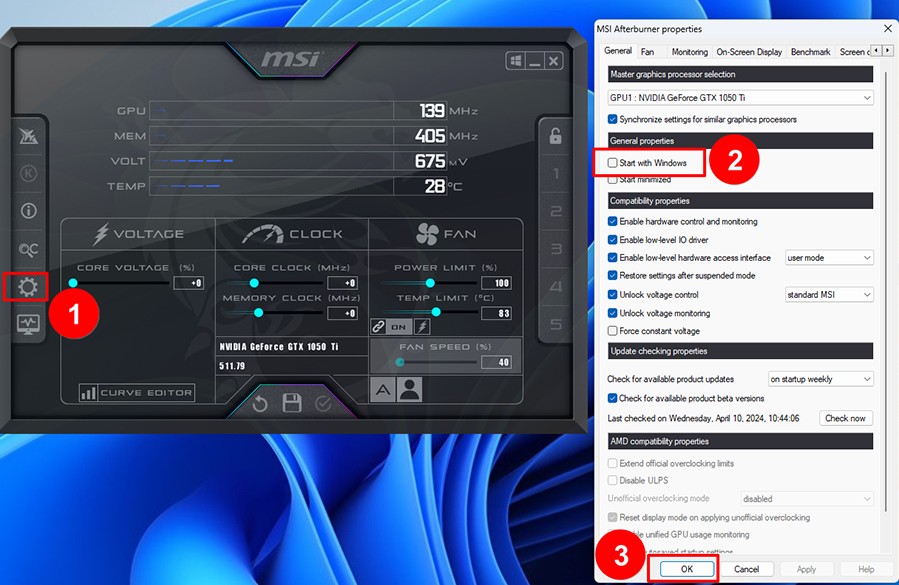
Step 4: Afterburner itself
Reset settings, confirm you didn’t load a broken profile at startup, and reinstall Afterburner if files look corrupted.
Next steps
If detection returns, tune conservatively and keep monitoring graphs visible while you validate. If not, capture screenshots and ask communities with full system context.
Elsewhere on this site
Keep context when you leave this page
Long guides read best with the FAQ for quick recovery steps and the glossary for vocabulary. The home page links the full screenshot tour and download reminders.